A focused local script library
Write and autosave your current script, keep multiple saved scripts locally, preserve your line breaks, and return to the same words whenever you reopen Teleflow.


Write or choose a saved script, adjust text size and scroll speed, preview or record over your selfie camera, and save the finished clip to your device.
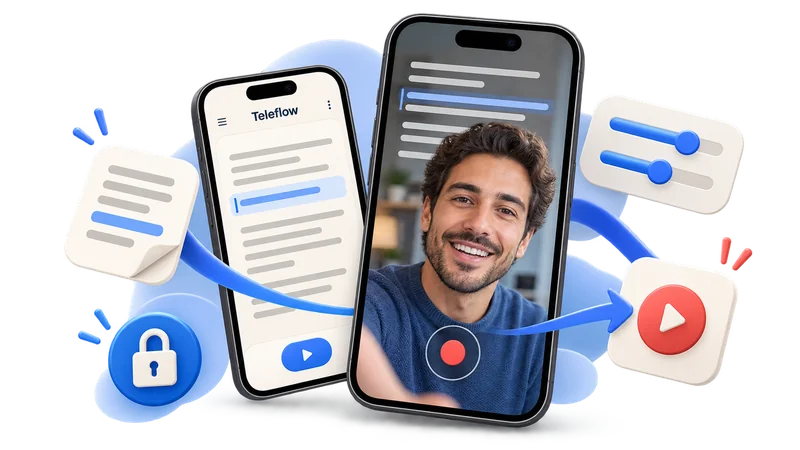
Teleflow keeps the workflow on your phone: write or choose a saved script, tune the read, preview the scroll, and optionally record and save a selfie clip without cloud setup.
Write and autosave your current script, keep multiple saved scripts locally, preserve your line breaks, and return to the same words whenever you reopen Teleflow.
Set text size and scroll speed, preview before starting, begin with a three-second countdown, tap to pause, and resume from your saved position.
Read over the front camera, record with microphone audio, and save the finished clip to your gallery or Photos when permission is granted. Without camera or microphone access, Teleflow keeps playback available over a clean fallback background.
Teleflow helps creators move from an idea to a readable script to a smoother on-camera delivery without accounts, cloud sync, a backend, or extra setup.
Teleflow is built for people who need a fast, private teleprompter workflow for TikToks, Reels, Shorts, coaching clips, tutorials, and talking-head videos.
Your script, settings, camera permission state, onboarding state, and last playback position stay on the device.
Large readable text, a three-second countdown, preview mode, pause and resume, and quick size and speed controls keep the read low-friction.
If camera access is unavailable, Teleflow still runs the teleprompter over a clean fallback background with the same scrolling behavior.
Start with a script, tune the reading experience, then preview or record over the selfie camera while you read.
Open the editor, draft your lines, and keep the same local script ready for the next take.
Choose text size and scroll speed, then preview the teleprompter before starting the countdown.
Rehearse in Preview mode or start the countdown to record a selfie clip with microphone audio, then save the finished take to your device gallery or Photos.
Stay with the lens while the words move for you.
No account, no backend, no uploaded scripts.
Preview the scroll before the real take.
Download Teleflow, write your script, preview the scroll, and record short-form selfie clips with a clean local teleprompter workflow.
Teleflow is a local-first mobile teleprompter and optional selfie recorder for short-form creators making TikToks, Reels, Shorts, tutorials, coaching clips, and talking-head videos.
Yes, when camera and microphone permissions are available. Teleflow can record a front-camera selfie clip with microphone audio and save the finished video to your device gallery or Photos. You can also use Preview mode to rehearse without recording.
No. Teleflow works without login, account setup, cloud sync, or a backend.
No. Your script, saved scripts, settings, camera and microphone permission state, onboarding state, and playback position stay on your device.
Yes. Preview mode runs the teleprompter without starting a selfie recording, and fallback playback remains available when camera or microphone access is unavailable.
Teleflow still works over a clean fallback background. The teleprompter scroll, font size, speed, countdown, and pause/resume behavior remain available, but selfie recording is skipped.
Yes. Teleflow autosaves your current script locally and also lets you keep saved scripts on your device.
Yes. The editor is portrait-first, and playback supports both portrait and landscape.
No. Teleflow uses its own in-app camera preview when permission is granted. It does not overlay text above the system camera or other apps.